A cut of every order
Delivery apps take a commission on every bill, and the guest belongs to the app, not to you.
Read this page in
The product itself is in English, Arabic, Persian and Kurdish.
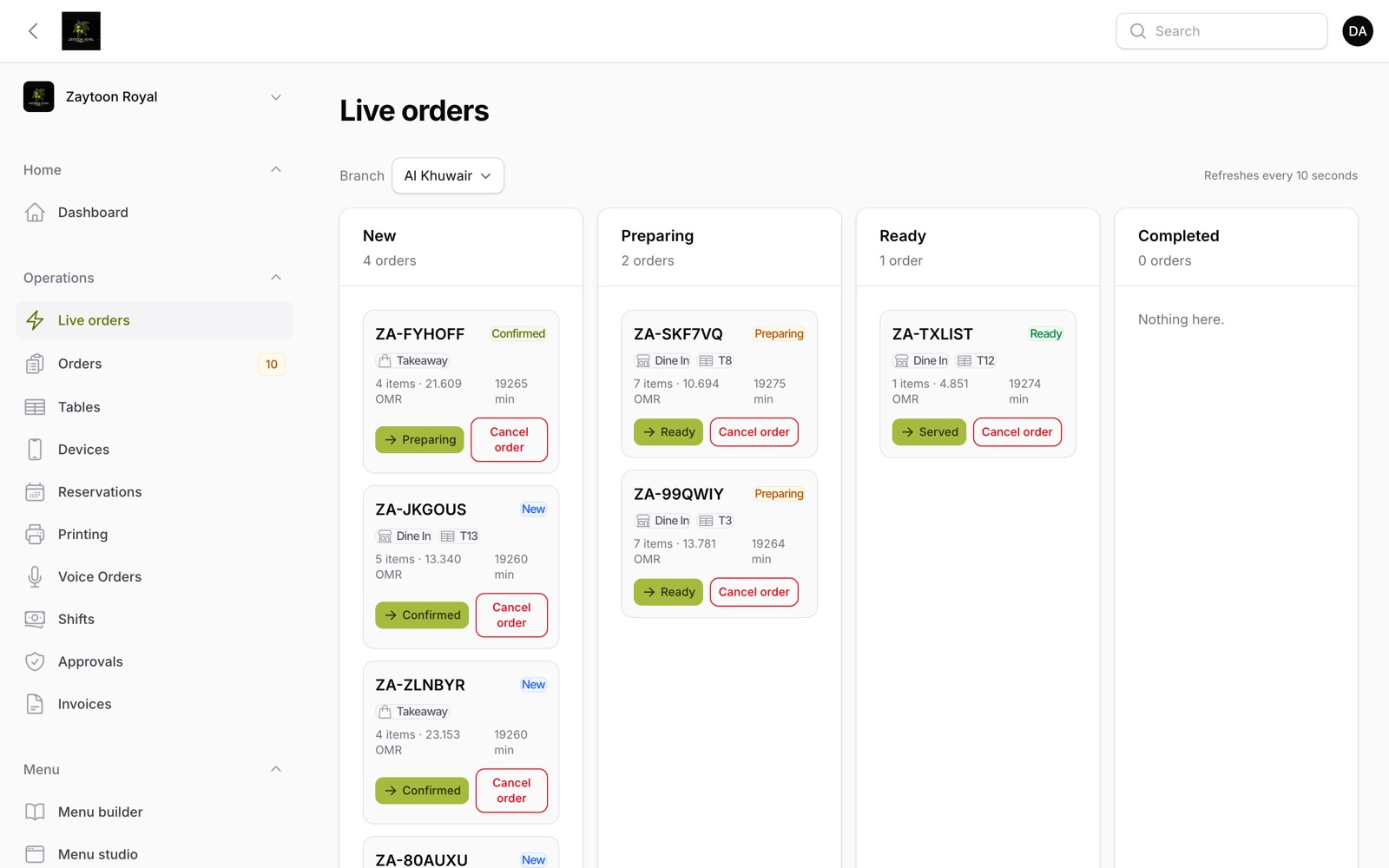
Nabusto brings your QR menu, direct ordering, point of sale, kitchen screen and ingredient costs into one workspace. Guests order from their own phones, in their own language, and you keep the whole bill.
No card needed. Runs on the tablets and phones you already have. Watch the intro
Built for restaurants, cafés and cloud kitchens
What gets in the way
They cost money every service, and they come from tools that do not talk to each other.
Delivery apps take a commission on every bill, and the guest belongs to the app, not to you.
A printed menu cannot change tonight’s price, add a special or say a dish has run out.
Handwritten tickets get misread, and nobody knows which table has been waiting longest.
Without ingredient costs next to sales, a full house can still lose money.
One platform
Start with the menu and add the rest when you are ready. Every part shares the same dishes, prices and orders.
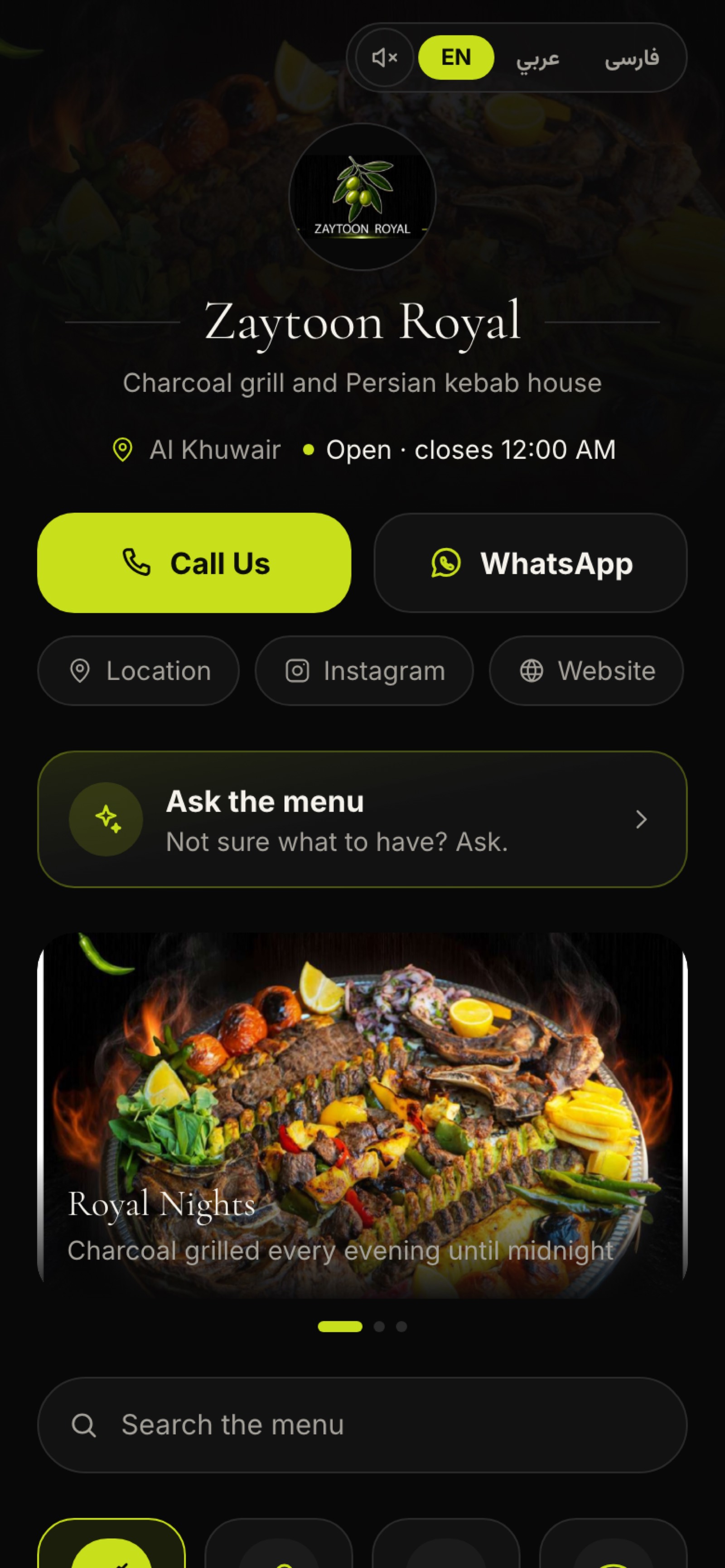
Guests scan the table’s QR, browse with photos in their own language, and order and pay from their phone. Nothing to install.
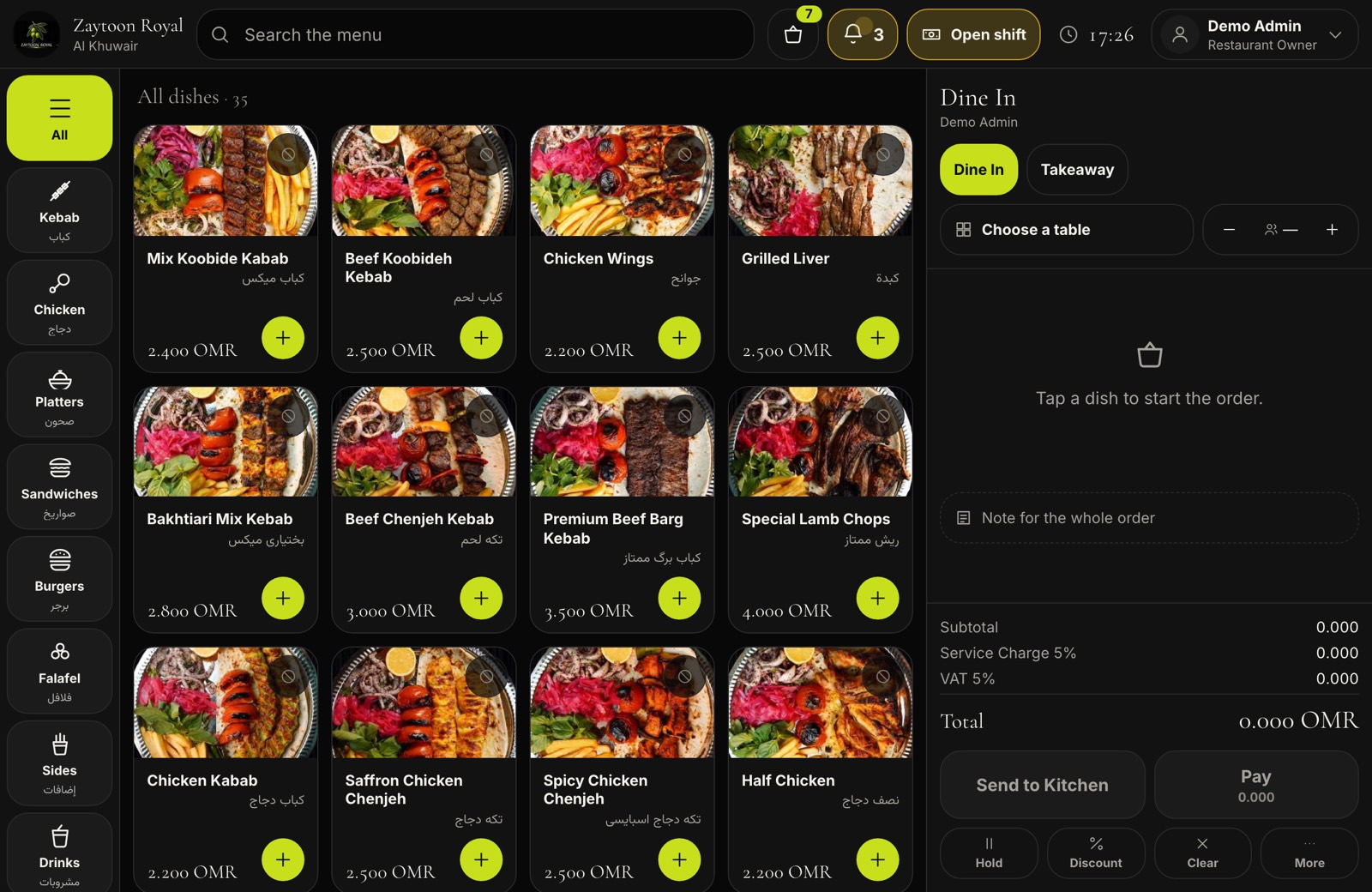
A fast till on iPad, Android, any browser or the Windows app. If the connection drops it keeps the orders and sends them when it is back.
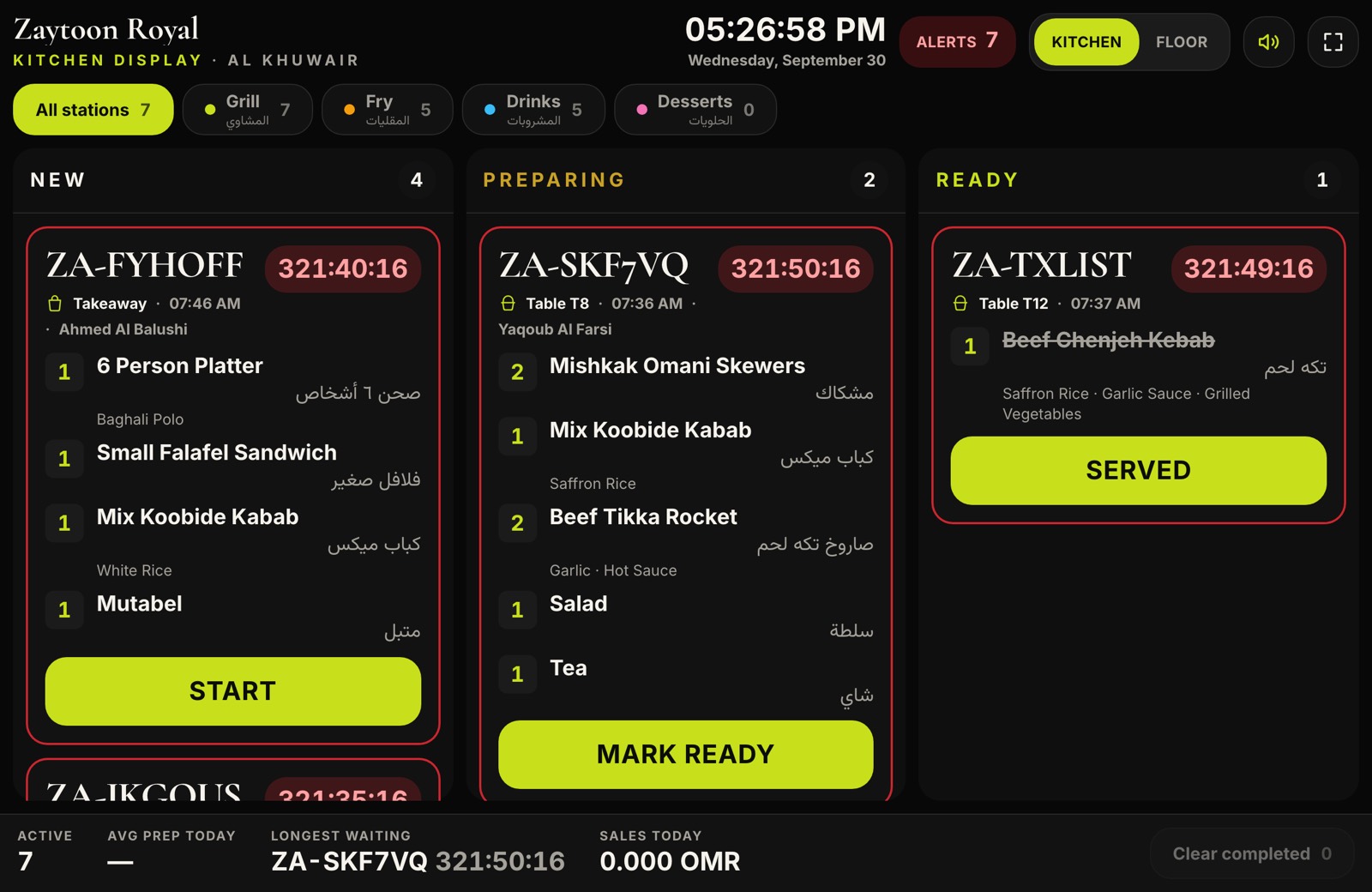
Every order reaches the kitchen screen the moment it is placed, with timers per ticket. No paper, no shouting.
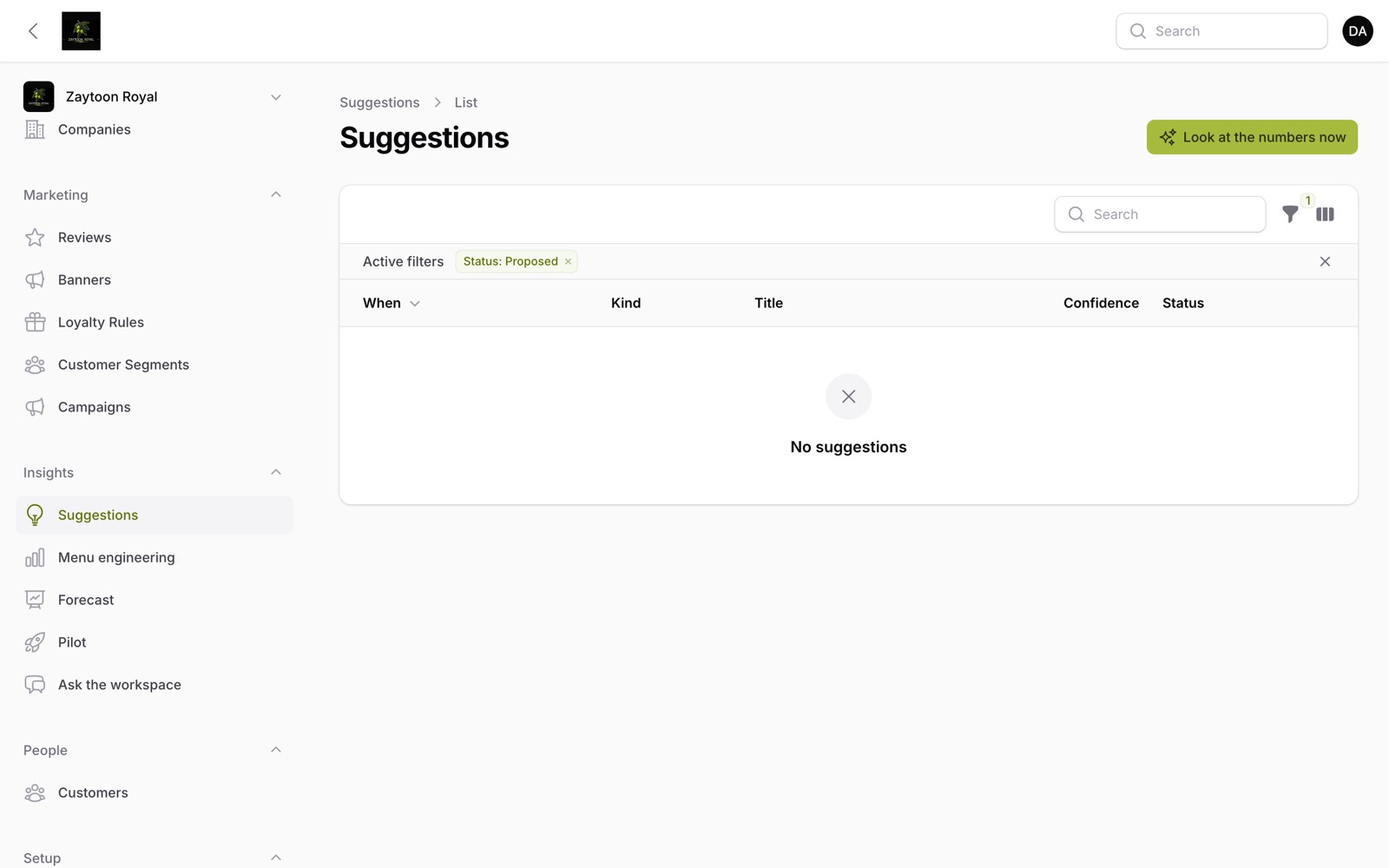
Sales by hour, best sellers and what each dish costs you, for each branch or all of them.
Delivery orders come in with the rest, and drivers follow their run on their own phone.
AI that does the busywork
AI drafts, suggests and listens. Every decision stays with you, and nothing changes until you approve it.
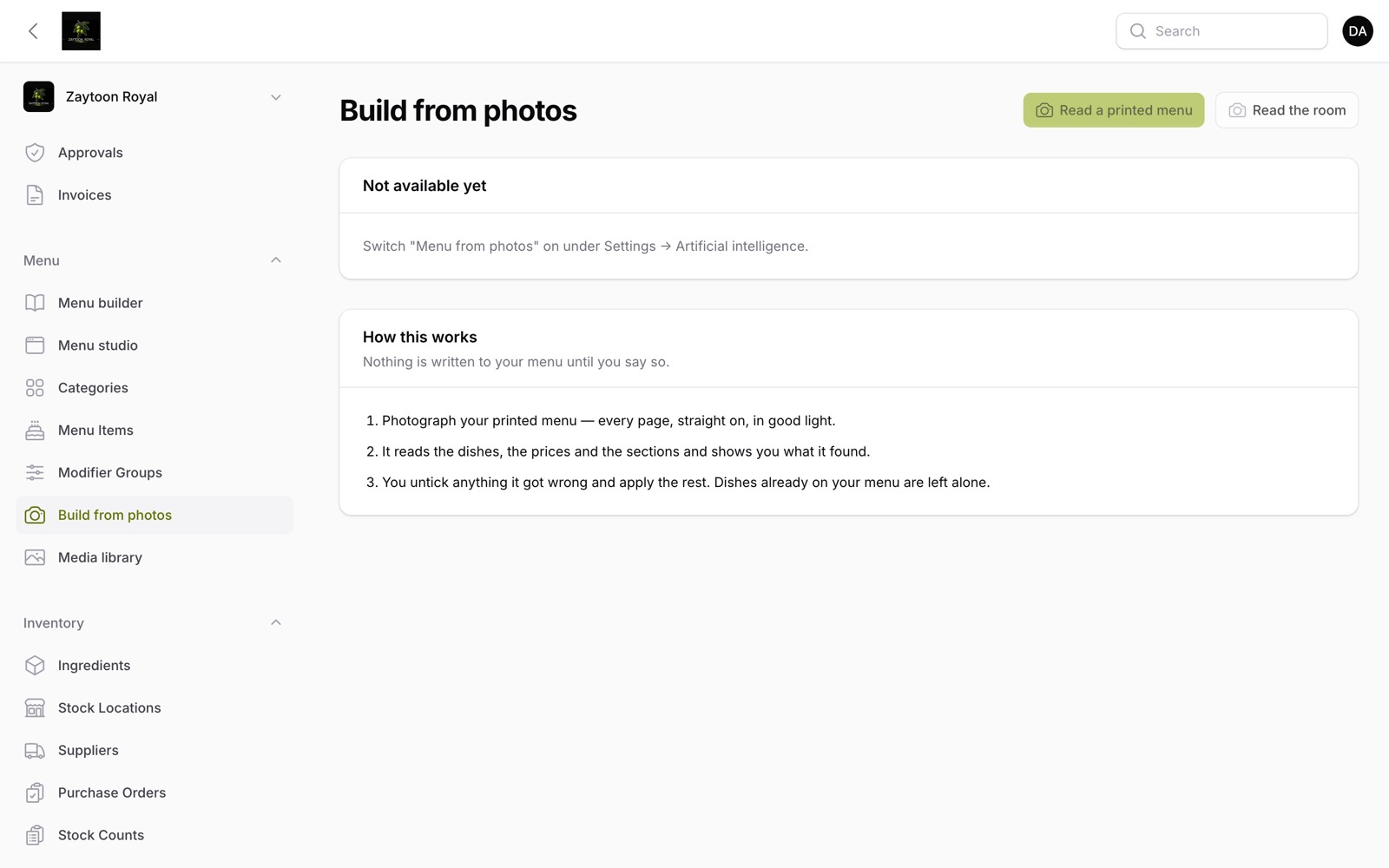
Photograph your printed menu. AI drafts the sections, dishes and prices, and nothing changes until you approve it.
A guest asks for “something light, no nuts” and gets dishes from your menu only, each one ready to add to the basket.
A customer sends a voice note; it becomes an order, placed only when the customer confirms it.
The menu assistant and voice ordering run on prepaid credit, priced per reply and per minute, and only when you switch them on.
How it works
The same four steps at every table, whether the restaurant is half empty or full.
The QR on the table opens your menu in the phone’s browser.
Photos, prices in your currency, and the menu in English, Arabic, Persian or Kurdish.
The order lands on the kitchen screen and the till together.
Tax and service charge are worked out for you, so the bill always adds up.
Try it now, free
Take a photo of your printed menu, or paste the link to the digital menu you use now. Nabusto reads the dishes, prices and sections and shows your menu on a phone, before you create an account.
What changes
Direct orders carry no commission, so a busy night pays you, not an app.
Every order is yours to see: what they order, when, and how often they come back.
Sales and ingredient costs side by side, instead of a guess at the end of the month.
One menu, one way of working, and each branch’s own prices and tables.
Add a branch, a kitchen screen or delivery in the same account when you need them.
Compare
What a restaurant usually gets from a delivery app or a traditional till, and what Nabusto does instead.
| What you get | Nabusto | Delivery apps | Traditional till |
|---|---|---|---|
| No commission on orders | Yes | No | Yes |
| Guest data stays with you | Yes | No | Sometimes |
| Guests order from their own phone | Yes | Yes | No |
| Menu in the guest’s language, right to left included | Yes | Sometimes | No |
| Kitchen screen in the same system | Yes | No | Sometimes |
| Menu drafted from a photo by AI | Yes | No | No |
| Runs on hardware you already have | Yes | Yes | Sometimes |
What each kind of product typically offers. Individual products differ.
Pricing
Every feature is in every plan. What changes is how long you commit for.
59.00 $
54.00 $
Save 8%
49.00 $
Save 17%
The menu assistant and voice ordering run on prepaid credit, priced per reply and per minute, and only when you switch them on.
For the counter
Install Nabusto POS on the counter PC: it opens straight to the till, and your staff sign in with their own accounts.
No. The QR code opens a web page in the phone’s browser. Guests can add it to their home screen if they like, but nothing is required.
No. You pay one price per branch for the plan you choose. Payment providers charge their own fees for card payments.
The till keeps taking orders and holds them, then sends them in order when the connection returns. Nothing is retyped and nothing is lost.
Yes. Nabusto runs in the browser on any iPad, Android tablet or computer, and the till also comes as a Windows app.
English, Arabic, Persian and Kurdish, each written properly, right to left where it should be. A guest picks the language on the menu itself.
The menu assistant and voice ordering are charged from prepaid credit, per reply and per minute, and only when you switch them on. Drafting your menu from a photo is part of every plan.
Yes. Point your domain at Nabusto and your menu is served there, with your colours and your logo.
Start with one branch and one menu. Add the till, the kitchen screen and delivery when you are ready.